
Production management built around actual shop-floor performance.
Capture production activity, downtime, reasons, schedules, and output so daily execution is visible and improvable.
Production Control & Execution
Track shifts, target vs actual outputs, and downtime reason codes directly at the workstation.
Digital Shift Logging
Log jobs, batches, outputs, and scraps at the end of each shift.
Improvement: Eliminates paper sheets.
Downtime Categorisation
Require reason codes for all machine stoppages to map bottlenecks.
Improvement: Identifies loss causes.
Target vs Actual
Compare scheduled volumes against live output with variance alerts.
Improvement: Keeps shipping on schedule.
ERP Handoff
Push production outputs and batch completions directly to corporate ERP.
Improvement: Speeds up billing.
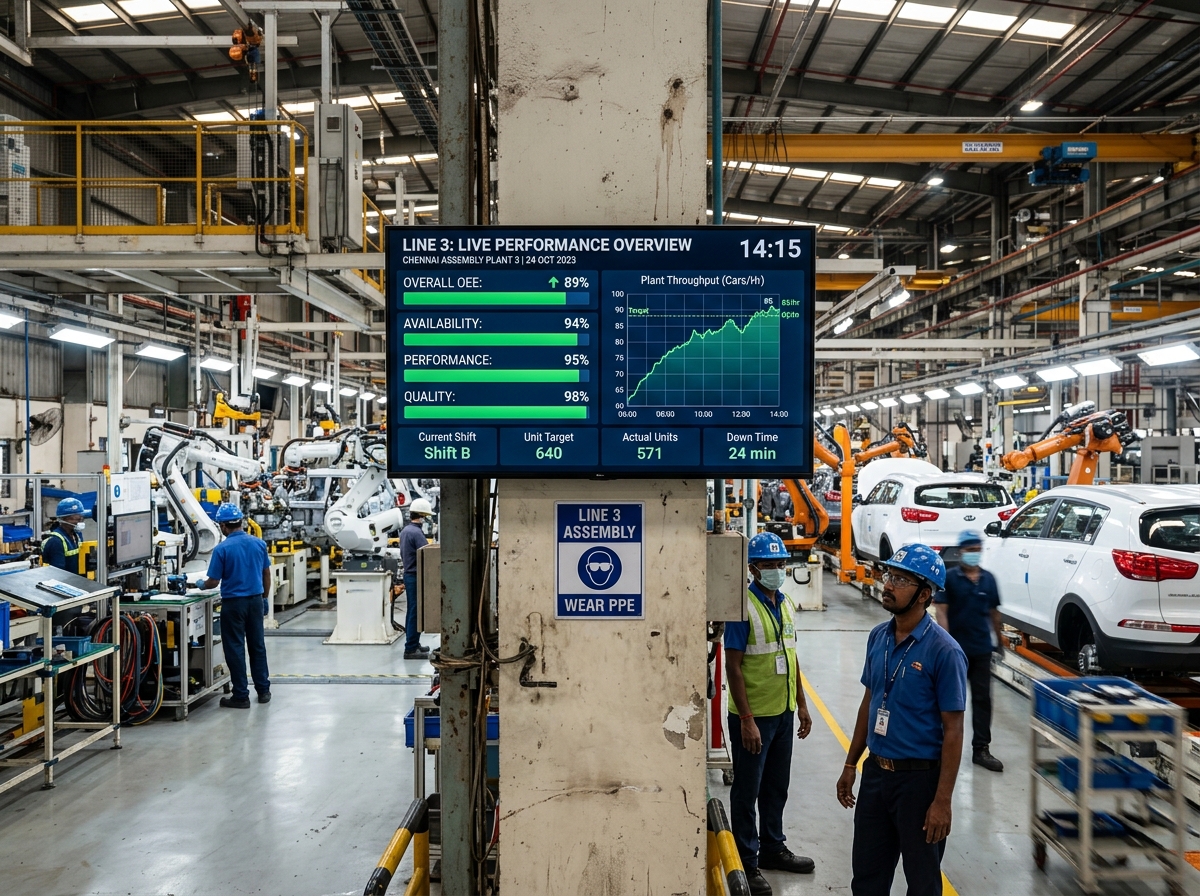
Production Digital Center
Provide operators and supervisors with a live operational view. Monitor job progression, target vs actual yields, and active alert logs directly from the line.
Live Board Metrics
Track current running jobs, outputs, and product yields in real-time.
Shift Handovers & Notes
Provide clear running logs and instructions for incoming shift crews.
Active Alert Board
Flag micro-stoppages and machine interlocks at the point of occurrence.
Line 4 Control Board
Job #JB-1089 (SKU-890 Casing)
Conveyor speed reduced by 15% post-jam to prevent sensor misalignment.
6-Step Production Workflow
Configure, manage, and scale your shop floor data flow. Select a step to view details.
Job Start
Release setpoints
Select SKU from scheduler, load baseline speeds, and release target parameters to PLC tags.
Synapse Production AI
AI Production Advisor
Translate shift logs and output variance into plain-language troubleshooting steps. Identify correlation with raw material batches and environmental parameters automatically.
Variance Insights
Explain the underlying patterns that triggered shift target misses.
Correlation Mapping
Correlate speed slows with conveyor and feeder anomalies.
Downtime Tagging Advice
AI alerts operators to standardize downtime codes post-incident.
Shift Audits
Draft end-of-shift reports from PLC telemetry summaries.
Log Downtime Event
Log and categorize line stoppages at the point of occurrence. Operators select standardized reason codes, calculate lost costs, and automatically alert supervisors to resolve delays.
Standard Code Trees
Log downtime under clean mechanical, electrical, or wait codes.
Cost Calculation
Automatically calculate financial impact based on line penalty rates.
Supervisor Alerts
Notify supervisors if downtime events exceed 10 minutes.
Direct MES Reconcile
Reconcile downtime duration with production logs automatically.
Downtime Event Log
DWN-2026-102$1,250
Estimated Lost Cost38 units
Lost Yield VolumeProduction Root Cause Analysis
RCA-PROD-102Guided 5 Whys Analysis
Task: Install self-locking mounting bolts and replacement dampener pad on Conveyor #1.
Production Root Cause Analysis
Isolate recurring output inhibitors and design permanent fixes. Correlate raw downtime logs with machine parameters and product changeovers to trigger corrective actions.
TPM Loss Analysis
Compare actual repair durations against target recovery SLAs.
5 Whys Logging
Document root causes directly next to production board variance charts.
CAPA Tracking
Generate PM checks to retighten conveyor spacer guides.
Preventive Alarms
Flag vibration or torque anomalies that indicate feed drifts.
Supported Production Scenarios
Pure Technology's production management layer is built to accommodate diverse manufacturing methodologies on the same floor.
Batch Production
Manage multi-step recipes, heat-treat cycles, and track material logs from raw inputs to finished batches.
Continuous Manufacturing
Track line run-rates, parts-per-minute speeds, scrap ratios, and detect continuous process deviations.
Discrete Assembly
Reconcile completed parts against shift targets, calculate station cycle times, and automate line logs.
Changeover-Heavy Lines
Track changeover timelines against target durations, optimize tooling calibration, and log setup reasons.
Connected Production Hub
Eliminate operational silos. Bridge shop floor telemetry with enterprise planning and maintenance systems.
ERP Integrations
Sync production outputs, verified batches, and job completions automatically with SAP, MS Dynamics, or Netsuite.
Quality Systems
Correlate output quantities and line speeds with SPC tolerance limits, reject counts, and lab LIMS measurements.
Maintenance & CMMS
Trigger work orders in UpKeep, Maximo, or Fiix automatically when line downtime logs exceed threshold limits.
Scheduling & APS
Reconcile active schedules and dispatch lists with real-time station capabilities and line routing lists.
Numbers from real engagements.
See how actual output is tracking against the day’s plan.
Replace vague downtime records with timely, structured reason capture.
Give production teams the information to recover performance during the shift.
Built for teams that need this to just work.
Who this is for
- Production Supervisors logging shift outputs and managing operator handovers.
- Plant and Operations Managers tracking live plan-versus-actual metrics across lines.
- Continuous Improvement Teams identifying recurring downtime bottlenecks and material issues.
- Manufacturers transitioning from paper-based shift logs and spreadsheets to real-time logging.
The operational building blocks your team needs.
Configure job parameters, log shift runs, capture standardized reasons for stoppages, and view plan-vs-actual progress.
Production logging
Record jobs, output, rejects, shifts, and operating conditions digitally.
Downtime tracking
Capture duration, causes, ownership, and recurring patterns at the point of occurrence.
Plan versus actual
Compare expected output and schedule against what happened, with context for variance.
From the shop floor to the leadership view.
Enforce crew accountability, automate shift reporting, and synchronize raw outputs directly with ERP systems.
Log Shift Output
Let operators input completed quantities, batches, and rejects straight from line screens.
Downtime Escalation
Escalate machine stoppage logs automatically to supervisor channels when thresholds exceed 10 minutes.
ERP Sync Handoff
Reconcile shift output summaries and post quantities to the enterprise ledger automatically.
Active Run-rates
Track current cycle times and parts-per-minute indicators against engineering baselines.
Shift Handovers
Formally transfer active jobs, supervisor logs, and pending items between shift leads.
Performance Dashboards
View shift yield, target metrics, and downtime reasons on large layout screens.
A repeatable path, every time.
1. Map Job Flows (Weeks 1-2)
Audit current shift logs, job sheet layouts, and standardize downtime reason codes.
2. Deploy Logging Hub (Weeks 3-4)
Configure logging screens, setup supervisor reviews, and connect central ERP interfaces.
3. Launch Line Pilot (Weeks 5-6)
Start shift logging and downtime capture on one pilot line to build crew familiarity.
4. Scale Across Sites (Weeks 7-8)
Roll out the digital production management system to all lines, establishing unified shift comparisons.
Industrial technology your operation can rely on.
We combine industrial data, connected workflows, and secure integrations to make this solution practical for real plant operations.
Shift/Job Data Model
Digital runtime configuration
Downtime Taxonomy
Standardized classification codes
Live Run-rate Indicators
Real-time velocity tracking
The questions we hear most.
How is downtime categorized and by whom?+
Downtime is logged by operators right at the machine. They select from a pre-configured list of standardized reason codes (e.g., tooling setup, raw material wait, mechanical jam) to ensure consistent data classification.
Can this replace our paper shift logs?+
Yes. Our digital logging cards replace paper checklists and spreadsheet logs, allowing operators to enter runs, rejects, and handovers directly into local tablets or workstations.
How does output data sync to our ERP?+
Once a shift supervisor signs off the shift report, the system automatically posts the completed quantities, job numbers, and scrap reasons to your ERP/MES systems via secure REST APIs.
Can operators log data offline on the floor?+
Yes. The logging screens cache entries locally on the device if the plant Wi-Fi drops, and automatically sync all logs to the server once connection is restored.
Most engagements span more than one practice.
Free consultation
Turn Your Vision
Into Reality


Ready to scope this in detail?
A 30-minute call with a senior engineer. No sales theatre — just a real assessment of fit, scope, and timeline.